

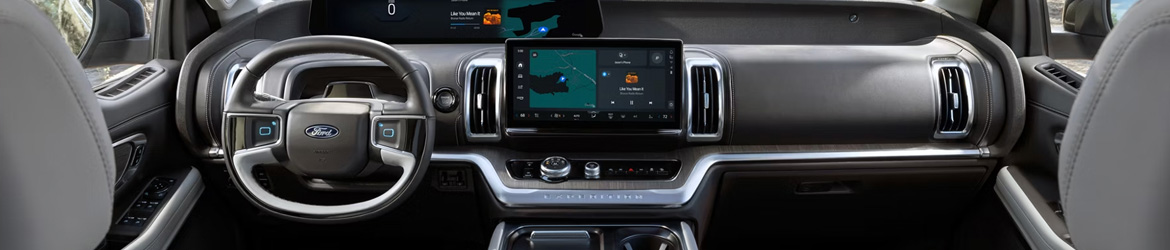
One of the worst things that can happen on a long drive is to lose your vehicle’s entertainment system. If you’ve ever had your Ford’s screen lock up or your phone suddenly drop its Bluetooth connection, you know what we’re talking about.
Ford infotainment freezing or Bluetooth problems are a common tech complaint from Ford owners – and the good news is that many of these issues have simple fixes you can try before heading to a service center.
Why Your Ford Infotainment Screen Might Be Freezing
A frozen or unresponsive touchscreen is frustrating, but it doesn’t always mean something serious is wrong. In many cases, the SYNC system simply needs a reset. Think of it like restarting a smartphone that’s been running too many apps for too long.
To perform a soft reset, press and hold the power button on your touchscreen for about 10 seconds until the screen goes dark and restarts. This clears temporary data and often resolves minor glitches. If the screen continues to freeze regularly, it may be time to check for available SYNC software updates through your Ford dealer or the Ford website.
Common Bluetooth Problems and How to Fix Them
Ford infotainment freezing and Bluetooth problems often go hand in hand, especially when your phone fails to pair or keeps disconnecting unexpectedly. Start by deleting your device from the vehicle’s Bluetooth menu and removing the vehicle from your phone’s saved connections. Then re-pair from scratch, making sure your phone’s software is fully up to date.
Sometimes interference from other nearby Bluetooth devices can cause instability. Try disabling Bluetooth on any tablets or other devices in the vehicle before re-pairing. If phone calls drop or audio cuts in and out, toggling airplane mode on your phone for a few seconds and then turning it back off can help refresh the connection.
When a Failed Phone Connection Points to a Deeper Issue
A failed phone connection that repeats itself despite multiple re-pairing attempts could indicate a deeper software issue rather than a simple pairing glitch. This is especially true if you notice the problem happening across multiple devices or after a vehicle software update.
In this case, a master reset of the SYNC system may be necessary. This clears all stored data, including paired devices, saved addresses, and personalized settings. Keep in mind that this is not the same as a soft reset – it’s a more thorough process and should be done carefully. Your service team can walk you through it or handle it on your behalf.
Tips to Keep Your Ford Infotainment Running Smoothly
Preventing Ford infotainment freezing or Bluetooth problems in the future often comes down to routine maintenance of your system’s software. Make it a habit to check for SYNC updates periodically, since Ford releases patches that address known bugs and improve overall performance.
Also avoid leaving too many apps running in the background on your connected phone, as this can slow down communication between the devices. Keeping your phone’s operating system updated is just as important as updating the vehicle software itself.
Visit a Ford Service Team Near You
If you’ve worked through this Ford infotainment freezing or Bluetooth problems troubleshooting guide and the issues are still happening, it’s worth getting a professional set of eyes on your system. Some problems require a deeper diagnostic that goes beyond what you can do at home.
Drivers throughout Bloomington, MN, can bring their vehicle in for a full system inspection from the experts at Freeway Ford. The service team can identify whether the issue is software-related or tied to a hardware component that needs attention. Either way, getting it resolved sooner rather than later means less frustration on every drive.
Connect with us


Recent Blog Entries
- Ford Towing Technology Explained: Features That Make Hauling Easier
- 2026 Ford Bronco vs. Bronco Sport: Which SUV Fits Your Lifestyle?
- How Often Should You Replace Your Ford Cabin Air Filter?
- Ford Infotainment Freezing or Bluetooth Problems: What Drivers Need to Know
- Why the Ford Bronco Sport Is the Perfect Everyday Adventure SUV for Modern Drivers